Our support pages have been provided in English, to translate to your desired language you can use the built-in translate function in Chrome or Firefox.
User Password Reset by Admin User
How to Reset a User's Password in the Admin CSP
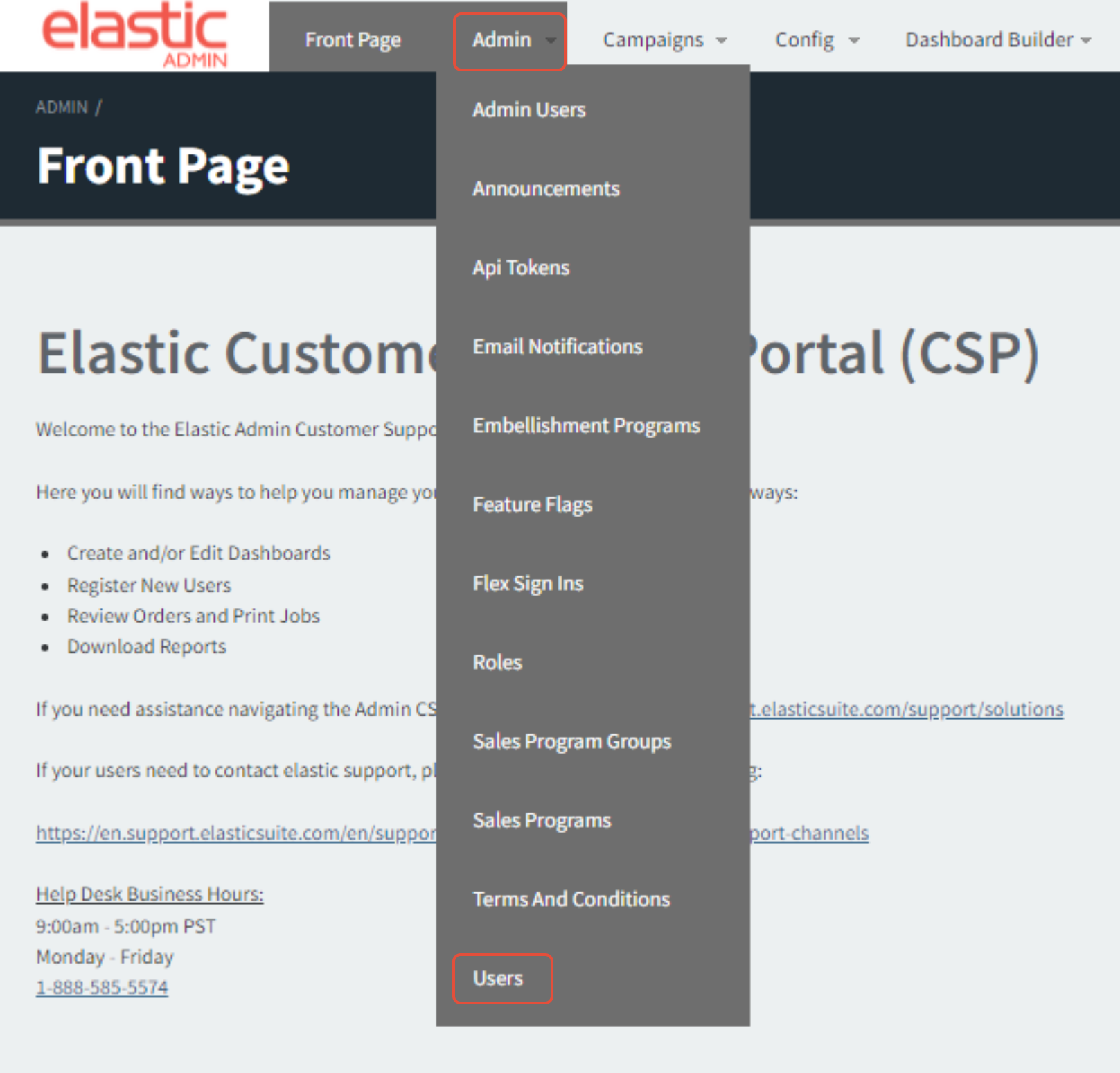
In the Admin CSP, click Admin -> Users:
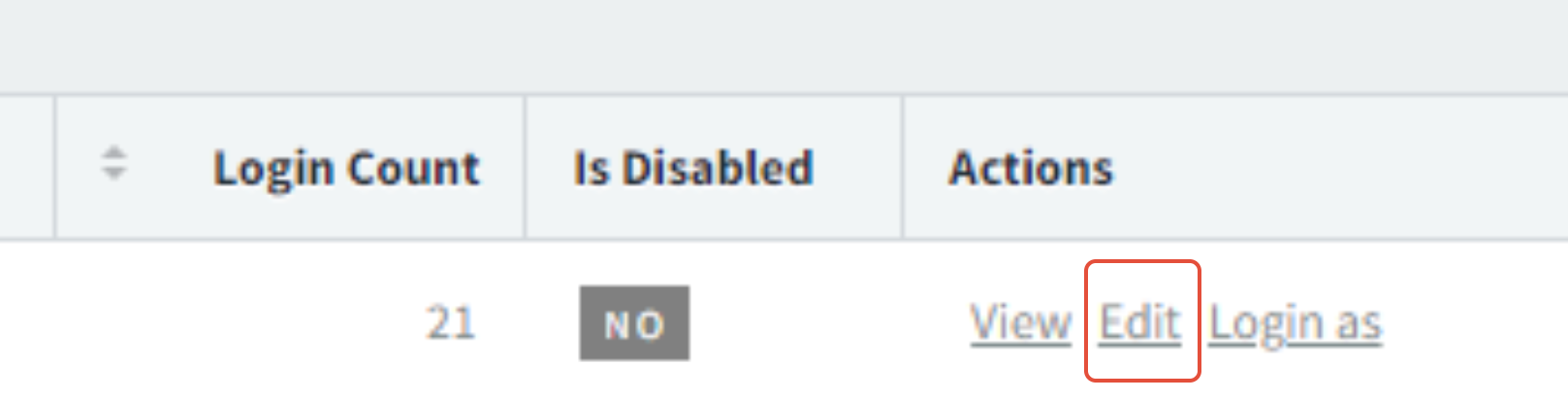
Next to the User's account, click Edit:
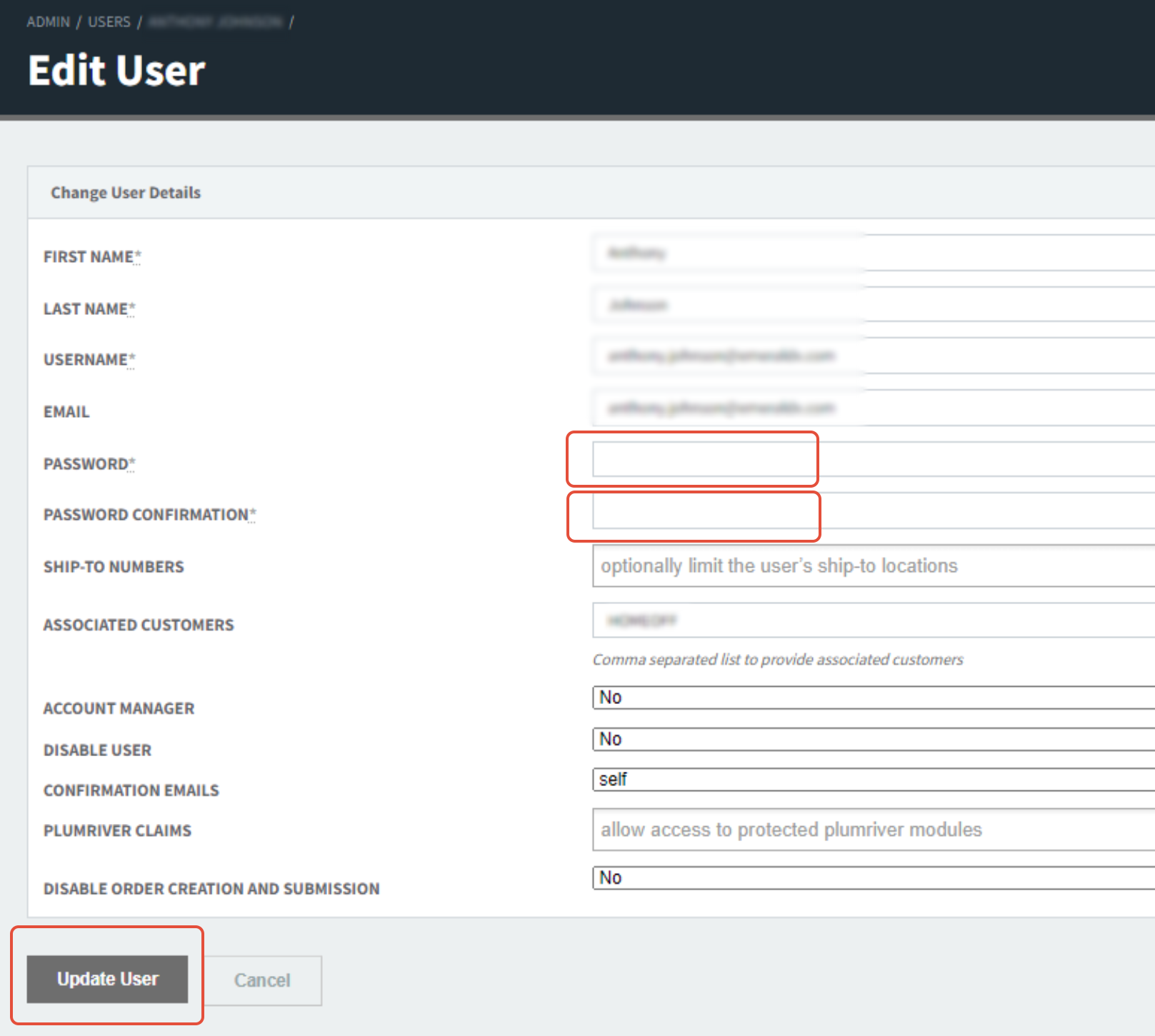
Enter the desired password as the value for both Password and Password Confirmation -> click Update User at the bottom of the screen: