
Our support pages have been provided in English, to translate to your desired language you can use the built-in translate function in Chrome or Firefox.
Online Assets
Online Assets are used to provide the user with an immersive brand experience.
There are several asset types that will be covered in this section:
- Login Page Background Image
- Brand Logo Image
- Favorite Icons (Favicon)
- Missing Images
- Catalog Tiles
- Catalog Landing Page Images
- Category Landing Page Images
- Catalog Technology Page Images
Login Page Background Image

The login page is the point of entry to the elastic platform. The login page background image is required.
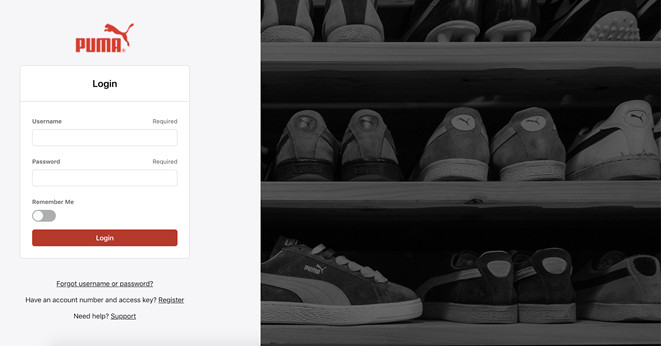
- The background image uses a cover effect. It is meant to work in a responsive design to support multiple device/screen sizes.
- The subject of the image should be centered to ensure it will remain in the middle of every screen and not cropped out of smaller screens.
Login Page Background Image - Technical Specifications

| Tech Spec |
Requirement |
| Brand Name | The name of the brand that the image represents using only alphanumeric characters |
| Image Type | This specifies the type of image: BG = Background |
| Size | 2100 x 1900px Minimum 4200 x 3800px Maximum |
| Background | Non-Transparent |
| File Type | PNG preferred, JPEG acceptable |
| FTP Location | Backend only, please open a Support Ticket |
Brand Logo Image

The brand logo image is a requirement and will be displayed within the main navigation header and in other locations throughout the platform. Please use the following guidelines to ensure the best possible presentation of your logo.
|
Spacing |
Less space around the logo will allow for the strongest presentation. Spacing around the logo should be as uniform as possible. |
|
Color |
Your logo will always be displayed on a white background in the system. A logo with colors and high contrast with white will look the best. |
|
Orientation |
Horizontal. Tall logos will render much smaller in the system. |
|
Text |
A logo without any copy, taglines or slogans will look best. |
|
Format |
SVG preferred.
If a vector file is not available, please use the following specifications: PNG-24 image format, transparent background Minimum width: 300px AND Minimum height: 128px Maximum width: 600px AND Maximum height: 300px Aspect ratio between 3:2 and 5:1 (wider than tall) |
Brand Logo Image - Technical Specifications

| Tech Spec |
Requirement |
| Brand Name | The name of the brand that the logo image represents, stripped of all non-alphanumeric characters and spaces. |
| Image Type | This specifies the type of image: BL = Logo |
| Type | D = Dark |
| FTP Location | Backend only, please open a Support Ticket |
| File Naming Convention | BrandName_ImageType_Type.png |
| Example | Example File Name |
| Dark logo optimized for a light background | Puma_BL_D.png |
Favorite Icons (Favicon)

The favorite icon (favicon) is a requirement. It is displayed in the user’s browser tab to help differentiate one site from another.


| Tech Spec |
Requirement |
| Brand Name | The name of the brand that this image represents, stripped of all non-alphanumeric characters and spaces. |
| Image Type | This specifies the type of image: F = Favorite Icon |
| Size | 16x16, 32x32, or 64x64 pixels |
| Type | ICO |
| FTP Location | Backend only, please open a Support Ticket |
| File Naming Convention | BrandName_ImageType.ico |
| Example | Boardriders_F.ico |
Missing Images

Tables can't be imported directly. Please insert an image of your table which can be found here.
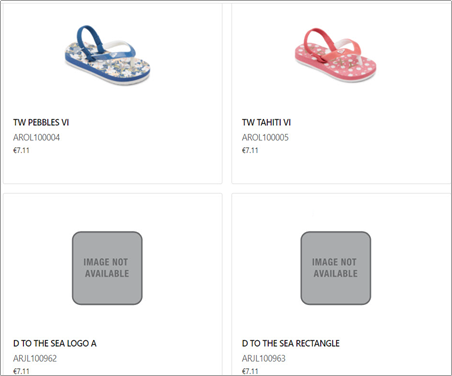
Missing Image - Technical Specifications

| Tech Spec |
Requirement |
| Size | 375px x 445px or larger with same aspect ratio |
| Background | Transparent |
| File Type | PNG (preferred), JPEGs can be used when PNG is not available. |
| FTP Location | Backend only, please open a Support Ticket |
Catalog Tiles

The order screen will have catalog “tiles” represented by individual catalog cover assets. These assets will also be displayed on the Catalog List page.
| Tech Spec |
Requirement |
| Image Type | This specifies the type of image: M = Tile |
| Size | Width: 800px / Height: 1000 px |
| File Type | PNG |
| Image Number | A sequential number |
| FTP Location | /assets/online |
| File Naming Convention | CatalogKey_M_01.png |
| Example | SP21_M_01.png |
Catalog cover assets will be displayed in a space that is 200px x 250px. They will be centered to expand to fill the space without being cropped. The entire image will always show. Images without a width/height ratio of 400:500 will be centered in the display area. In the absence of a catalog cover asset, the brand logo will display.
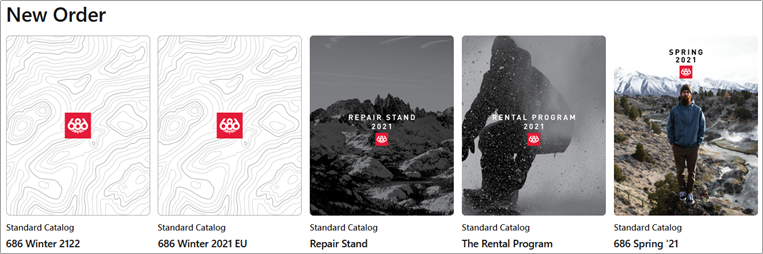
Catalog Landing Page Images

The Catalog Landing Page is optional. When utilized, it will be shown when the user selects a catalog in View Mode or when creating an order in Standard Mode. The Catalog Landing Page can introduce a seasonal brand message or story and is often represented as a digital “catalog cover”.
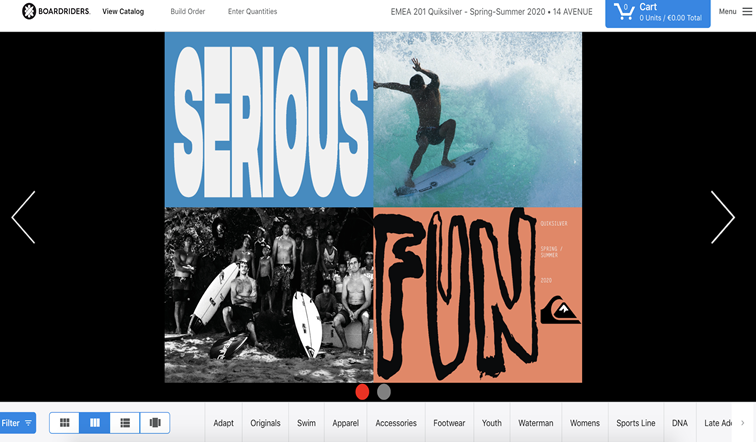
Catalog Landing Page Images - Technical Specifications

| Tech Spec |
Requirement |
| Catalog Key | This is the primary identifier for the catalog |
| Image Type | This specifies the type of image: L = Catalog Landing Page |
| Image Number | A sequential number indicating the correct sequence in which these images should display. Single digits should be 0 padded. |
| Size | Width: 1820px / Height: 720px |
| Background | Non-Transparent |
| File Type | PNG |
| FTP Location | /assets/online |
| File Naming Convention | CatalogKey_ImageType_ImageNumber.png |
| Example | Example File Name |
| Landing page #1 for the SS21 catalog | SS21_L_01.png |
Category Landing Page Images

Category Landing Pages are optional. When utilized, they will be shown when the user first selects a category/tab (footer filter) within the View Catalog page.
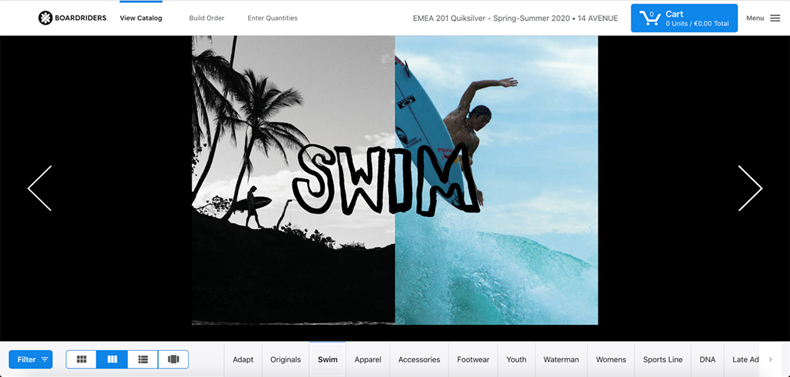
Category Landing Page Images - Technical Specifications

| Tech Spec |
Requirement |
| Catalog Key | This is the primary identifier for the catalog |
| Category | The category this image should precede, stripped of all alphanumeric characters and spaces. This should match the category in the product files. |
| Image Type | This specifies the type of image: L = Landing Page |
| Image Number | A sequential number indicating the correct sequence in which these images should display. Single digits should be 0 padded. |
| Size | Width: 1280px / Height: 720px |
| Background | Non-Transparent |
| File Type | PNG |
| FTP Location | /assets/online |
| File Naming Convention | CatalogKey_Category_ImageType_ImageNumber.png |
| Example | Example File Name |
| Category Landing Page #1 for Boots Category of SS21 Catalog | SS21_Boots_L_01.png |
Catalog Technology Page Images

Catalog Technology Pages are optional. When utilized, they provide more detailed content about a given technology. When a user clicks on a technology icon or technology listed as text within the technology tab the details will be shown.
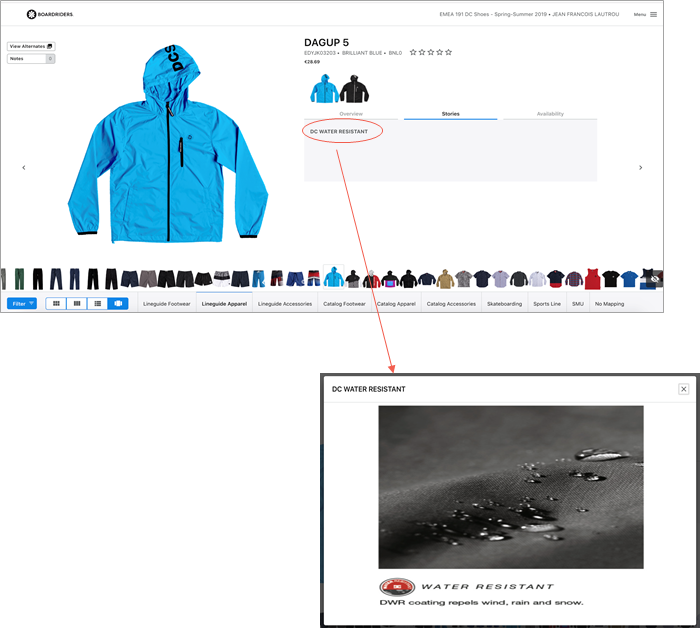
Catalog Technology Page Images - Technical Specifications

| Tech Spec |
Requirement |
| Technology ID | This is the primary identifier for the technology. (Please see Data Integration Document for details) |
| Image Type | This specifies the type of image: T= Technology Page |
| Size | 800 x 600px |
| Background | Non-Transparent |
| File Type | PNG |
| FTP Location | /assets/online |
| File Naming Convention | TechnologyID_ImageType.png |
| Example | Example File Name |
| Waterproof Technology detail page | Waterproof_T.png |