
Our support pages have been provided in English, to translate to your desired language you can use the built-in translate function in Chrome or Firefox.
Collections Assets
Collections (formerly Custom Catalog Builder/CCB) Assets are used during the generation of Collections and are viewable within the portal.
These assets are specific to an individual catalog, should match the orientation of the associated catalog (Landscape or Portrait), and should not include page numbers.
There are four asset types for the Collections:
1. Catalog Covers - Front & Back

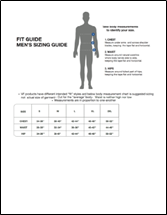
Catalog Covers - Front & Back

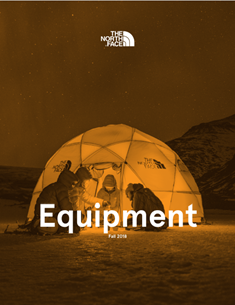
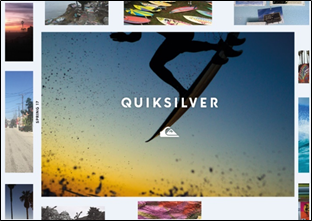
Front Catalog Covers are required. They tend to be more graphical:
 |
 |
Back covers may be added to Collections if desired, but they are optional. They are used in a variety of ways:
 |
 |
Collections Cover: FRONT Technical Specifications

| Tech Spec |
Requirement |
| Size | Portrait: 8.5x11 inches / 300dpi Landscape: 11x8.5 inches / 300dpi |
| Background | Non-Transparent |
| File Type | PNG (Must NOT contain an alpha channel) |
| Catalog Key | This is the primary identifier for the catalog |
| Image Type | This specifies the type of image: C = Front Cover |
| Name | This field is optional. Only alphanumeric characters are accepted. When utilized this field will display as the name of the catalog asset in the Collections builder. |
| FTP Location | /assets/catalog |
| File Naming Convention | Catalog_ImageType[_OptionalName].png |
| Example | Example File Name |
|---|---|
| Front Cover for Collection SS21 | SS21_C.png |
| Front Cover for Collection SS21 w/ optional name field | SS21_C_Spring21front.png |
Collections Cover: BACK Technical Specifications

| Tech Spec |
Requirement |
| Size | Portrait: 8.5x11 inches / 300dpi Landscape: 11x8.5 inches / 300dpi |
| Background | Non-Transparent |
| File Type | PNG (Must NOT contain an alpha channel) |
| Catalog Key | This is the primary identifier for the catalog the collection was created from |
| Image Type | This specifies the type of image: B = Back Cover |
| Name | This field is optional. Only alphanumeric characters are accepted. When utilized this field will display as the name of the catalog asset in the Collections builder. |
| FTP Location | /assets/catalog |
| File Naming Convention | Catalog_Color_ImageType[_OptionalName].png |
| Example | Example File Name |
|---|---|
| Back Cover for Collection SS21 | SS21_B.png |
| Back Cover for Collection SS21 w/ optional name field | SS21_B_Spring21back.png |
Collateral Pages

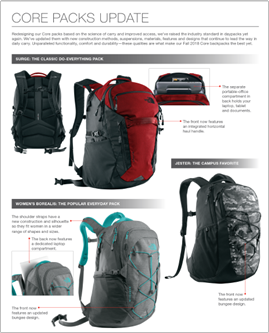 |
Collateral Pages are available in the Collections Builder and are optional. |
| Collateral Pages can appear in the front or back of the Collections section of the output. | 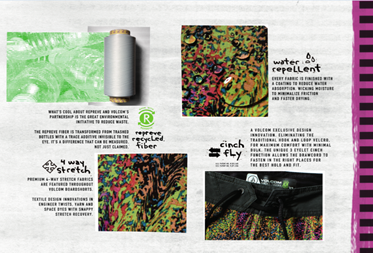 |
 |
The front/back labels help group these assets in the collection asset library. Remember: users can sequence them in the desired order for Collections, so page numbering should be avoided. |
Collateral Pages Technical Specifications

| Tech Spec |
Requirement |
| Size | Portrait: 8.5x11 inches / 300dpi Landscape: 11x8.5 inches / 300dpi |
| Background | Non-Transparent |
| File Type | PNG (Must NOT contain an alpha channel) Please use the same text for all CCB related items |
| Catalog Key | This is the primary identifier for the catalog the collection was created from |
| Image Type | This specifies the type of image: P = Collateral Page |
| Image Placement | This designates whether the image should be included after the front cover, or before the back cover: F = Front (after the front cover) B = Back (before the back cover) |
| Image Number | A sequential number indicating the correct sequence in which these images should display. Single digits should be 0 padded. |
| Name | This optional field, when utilized, will display as the name of the catalog asset in the Collections builder. Only alphanumeric characters are accepted. |
| FTP Location | /assets/catalog |
| File Naming Convention | CatalogKey_ImageType_ImagePlacement_ImageNumber[_OptionalName].png |
| Example | Example File Name |
|---|---|
| Collateral Page for Collection SS21 - Front Section | SS21_P_F_01.png |
| Collateral Page for Collection SS21 w/ optional name field - Back Section | SS21_P_B_01_Spring21fitguide.png |
Category Dividers

| Category Dividers are shown in the Collections Builder along with cover pages. They are optional. | 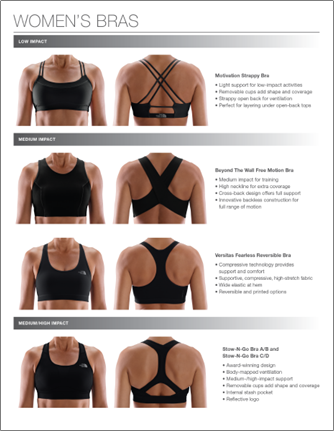 |
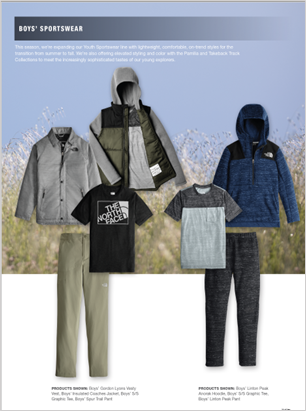 |
The catalog labels help to group these assets in the Collections asset library. |
Category Dividers Technical Specifications

| Tech Spec |
Requirement |
| Size | Portrait: 8.5x11 inches / 300dpi Landscape: 11x8.5 inches / 300dpi |
| Background | Non-Transparent |
| File Type | PNG (Must NOT contain an alpha channel) Please use the same text for all CCB related items |
| Catalog Key | This is the primary identifier for the catalog the collection was created from |
| Category | The product category this image should precede, stripped of all non-alphanumeric characters and spaces. This should match the category in the product files. |
| Image Type | This specifies the type of image: D = Divider |
| Image Number | A sequential number indicating the correct sequence in which these images should display. Single digits should be 0 padded. |
| Name | This optional field, when utilized, will display as the name of the catalog asset in the Custom Catalog Builder. Only alphanumeric characters are accepted. |
| FTP Location | /assets/catalog |
| File Naming Convention | CatalogKey_Category_ImageType_ImageNumber[_OptionalName].png |
| Example | Example File Name |
|---|---|
| Collateral Page for Collection SS21 - Yoga Category | SS21_Yoga_D_01.png |
| Collateral Page for Collection SS21 - Yoga Category w/ optional Name | SS21_Yoga_D_01_fitguide.png |
Technology Icons

| Technology Icons are pictorial representations of technologies or callouts that apply to a particular product (i.e. GoreTex, Best Seller, etc) and they are optional. |
Technology Icons can be included in Collections PDFs and are also visible in the 1-up view of the Digital Collection.
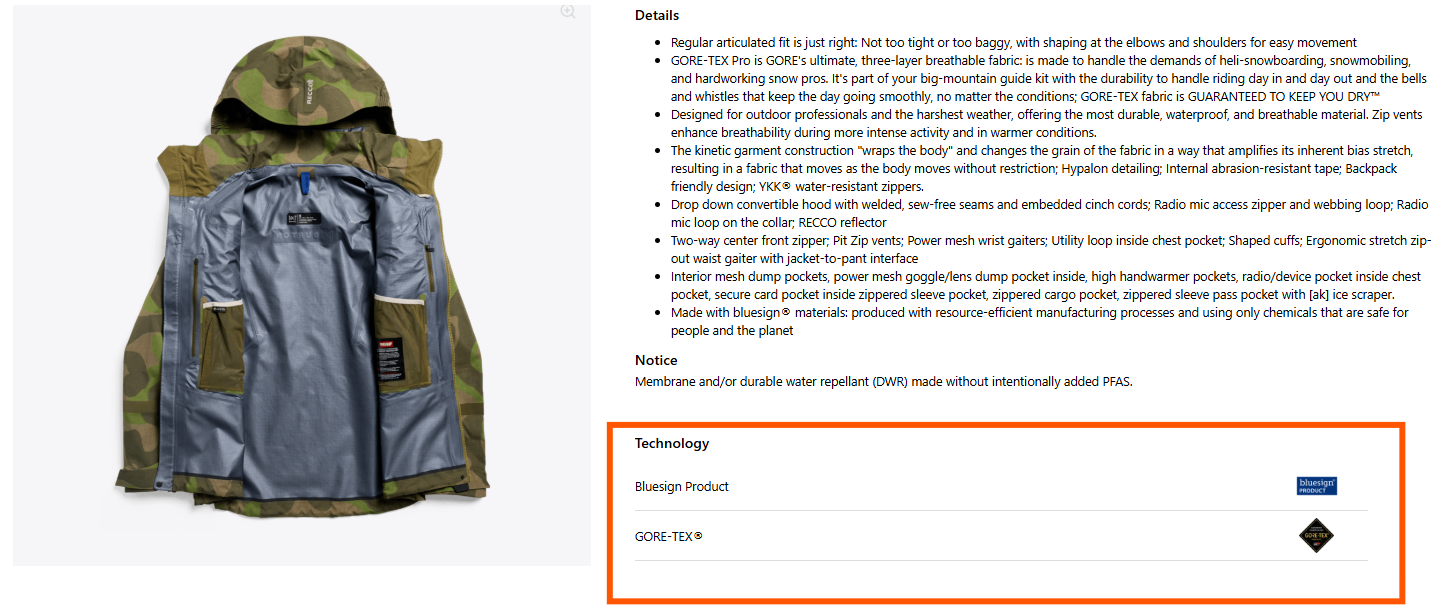
Technology Icons Technical Specifications

| Tech Spec |
Requirement |
| Technology ID | This is the primary identifier for the Technology ID |
| Image Type | D = Dark technology icon, optimized for light backgrounds |
| Size | 300px Height, Variable Width |
| Background | Transparent |
| File Type | PNG |
| FTP Location | /assets/tech_icons |
| File Naming Convention | TechnologyID_ImageType.png |
| Example | Example File Name |
|---|---|
| Icon for Best Seller | BestSeller_D.png |