Our support pages have been provided in English, to translate to your desired language you can use the built-in translate function in Chrome or Firefox.
Changing UPCs in Excel
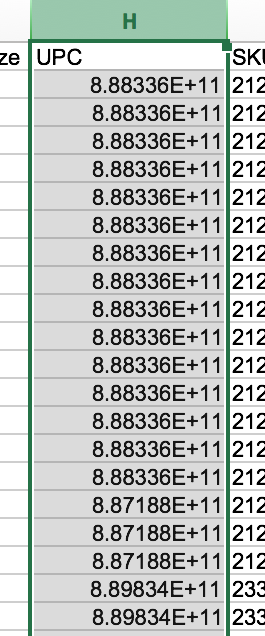
When you export an XLSX or a CSV from Elastic, your UPCs will often be in Scientific Notation (see image in step 1.) This is Excel's default for formatting numbers. To successfully re-import an XLSX or CSV file to Elastic, you'll need the UPCs in non-scientific notation. To do this, follow these steps:
1. Highlight the entire column (click on the column header (in this example, the letter H).
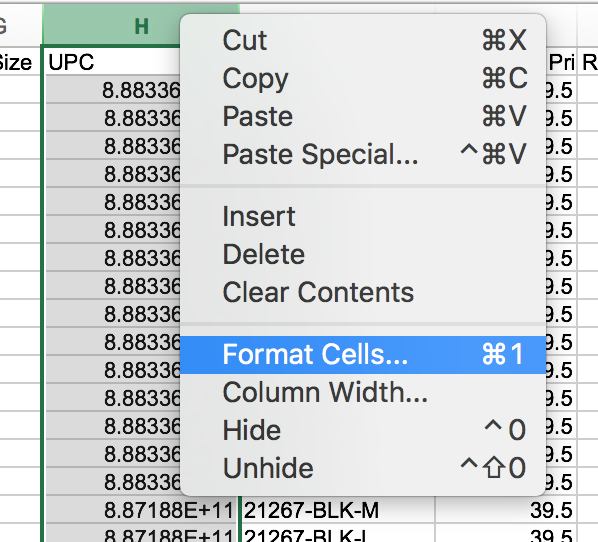
2. Right-click your mouse to reveal this drop-down menu. Select 'Format Cells'.
3. Select 'Number' and make sure your Decimal place is set to 0.
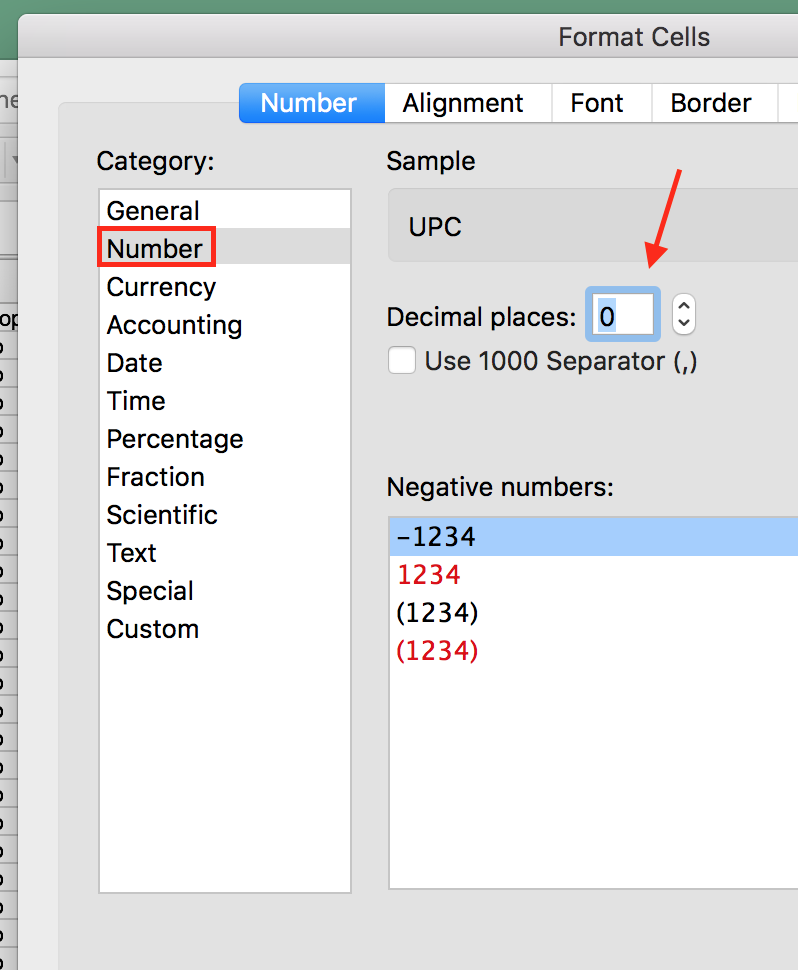
4. Click 'OK'.
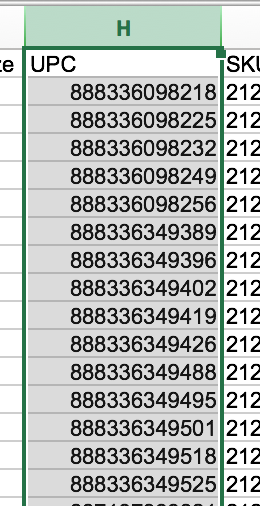
5. The result is a newly formatted column of UPCs.