
Our support pages have been provided in English, to translate to your desired language you can use the built-in translate function in Chrome or Firefox.
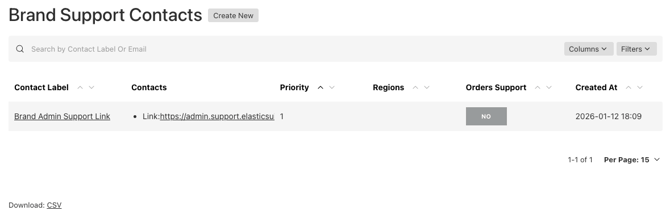
With the Brand Support Modal, you can add your own support contacts — a phone number, email, or URL — so customers can reach your team directly.
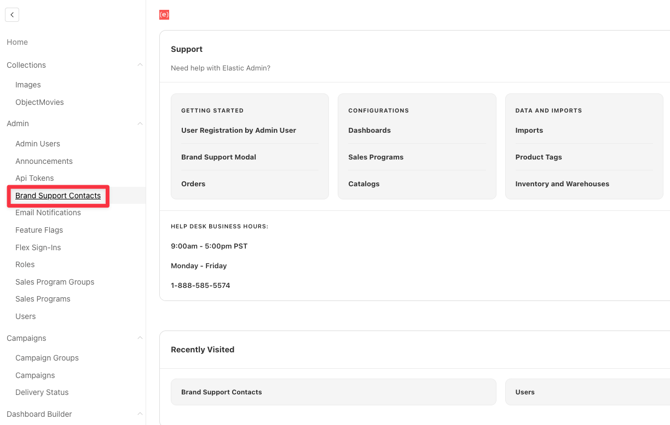
Just head to Brand Support Contacts under the Admin section within the left-side options menu to create a new support contact.
By adding your brand's contact details, you help your customers reach out to your right support teama and cut down their wait time.
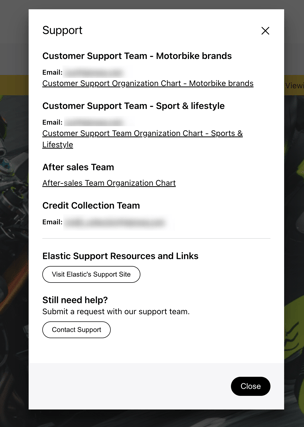
This is how Brand Support Modal is seen on front-end
-
The first section directs customers straight to your brand's support channels.
-
The second section takes the users to our support portal and also allows them to submit a support ticket to our Customer Success team without ever leaving Elastic — automatically populating their name, email, and account number so we can troubleshoot faster.
If you don't see this option under the 'Admin' menu, please contact us.